See it in a restaurant
Hardware that looks like it costs three times as much.
Matte black, one-piece enclosures, no visible cables. Built and installed by us in St. Louis.
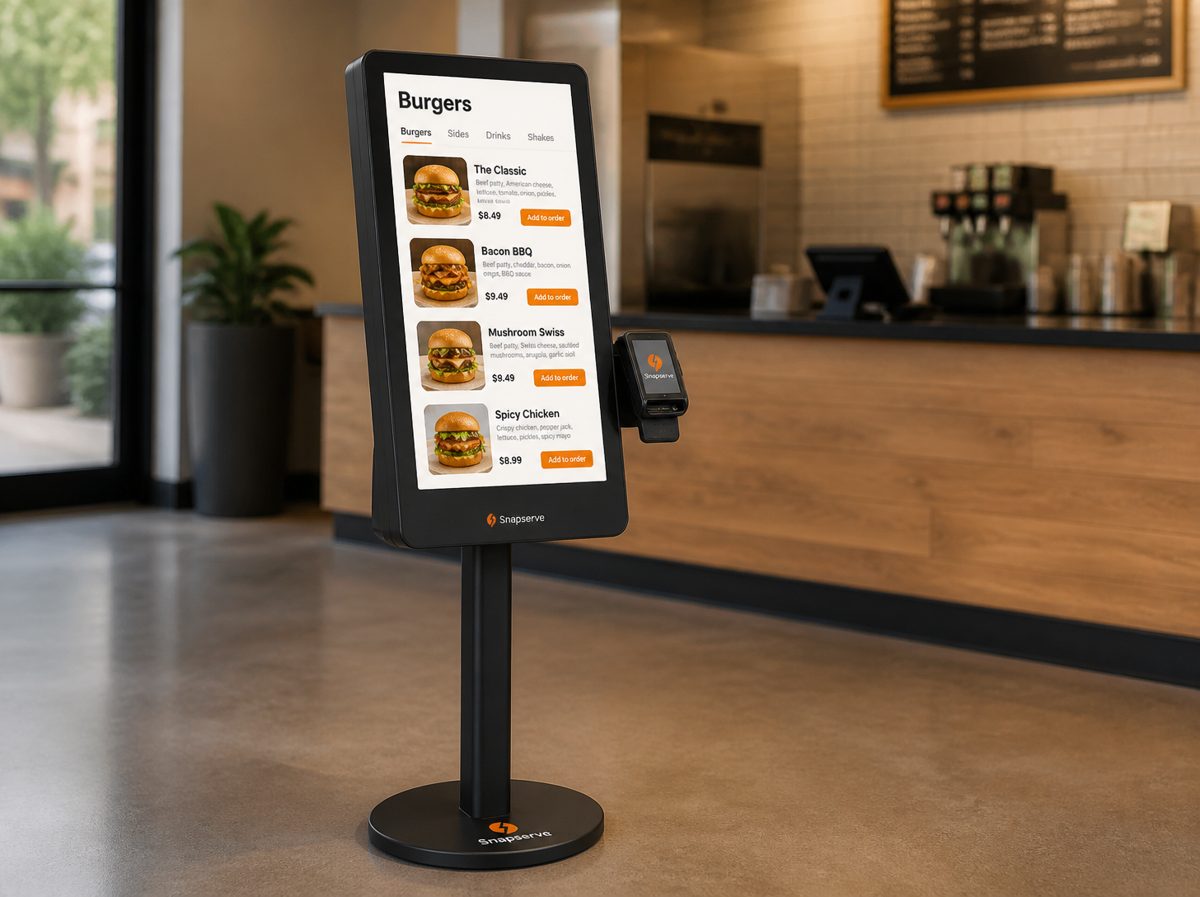
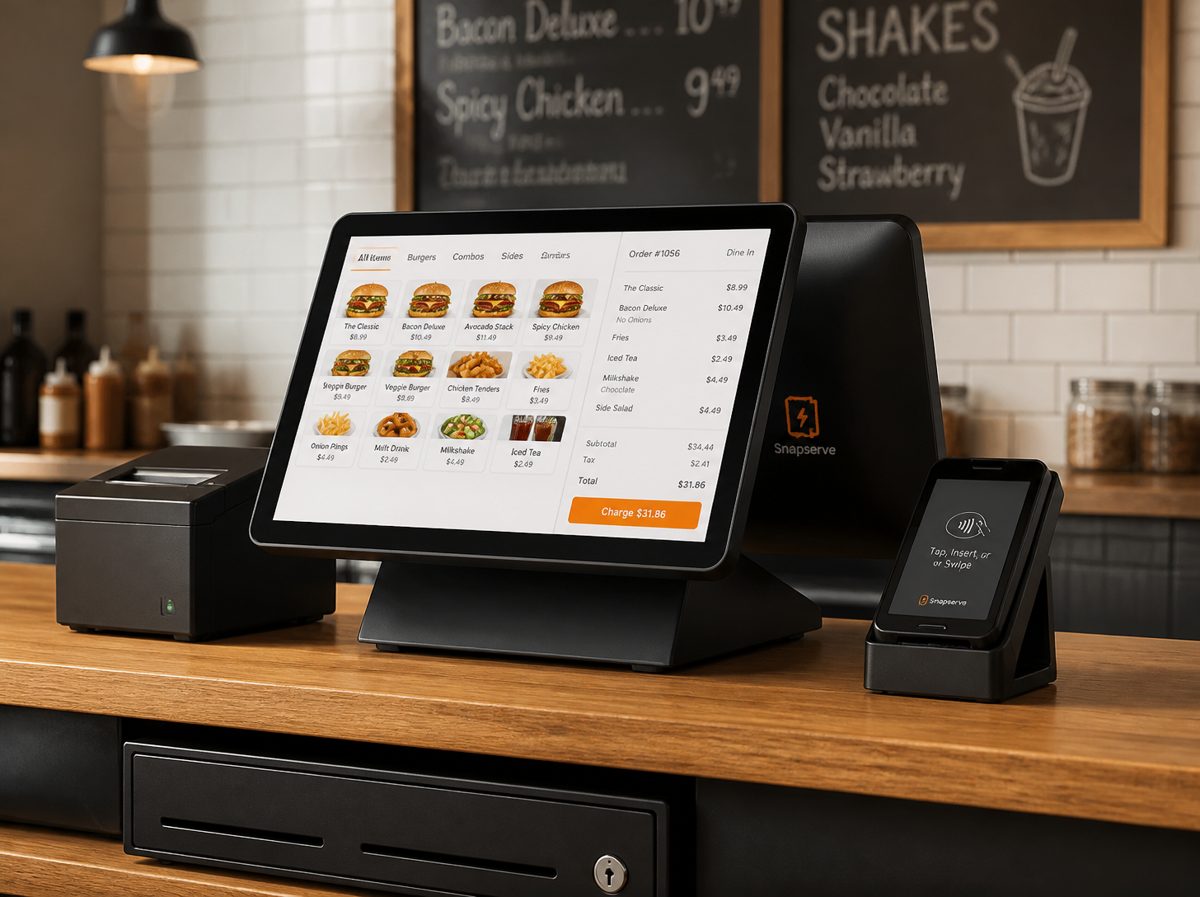
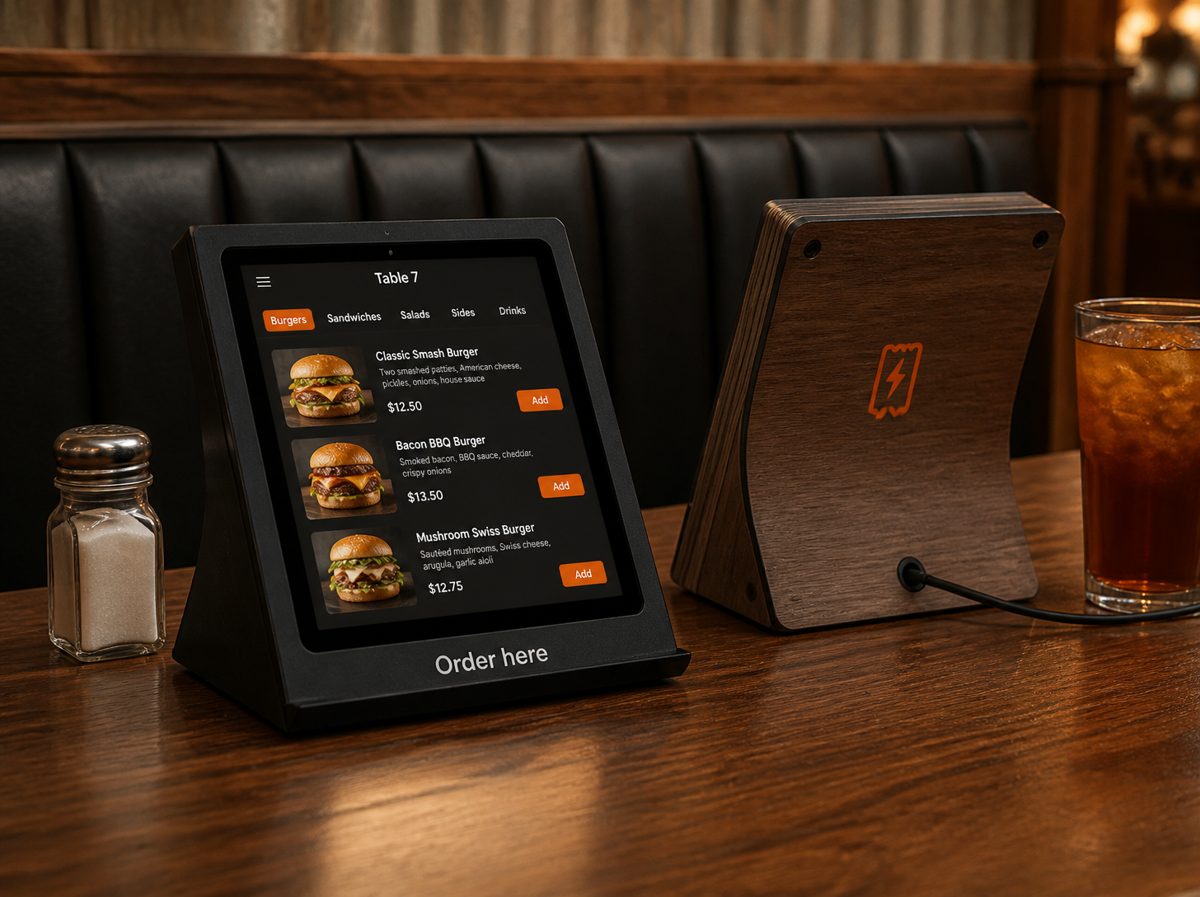
Self-order kiosk, kitchen screen, register and your own ordering app. Installed by us, hardware included, nothing up front. Every order, from the counter, the table or a phone across town, lands on the kitchen screen in under a second.
Pick what your restaurant needs. Everything shares one menu, one set of reports, one support line.
27" touchscreen. Guests build their order, add sides, tap to pay. Tickets go up because the kiosk always asks "want fries with that?"
Tickets appear the second they're placed. Bump when done, route by station, timers turn red when an order sits too long.
Cash drawer, receipt printer, tips, split checks, end-of-day report. Same screen your staff already know, in cashier mode.
A small screen at each table. Guests order and pay without flagging a server. The table number rides along to the kitchen.
Hand us your menu, get your own branded ordering app and site. Pickup or delivery, paid online, straight to the kitchen screen. No 15–30% delivery-app commission.
Matte black, one-piece enclosures, no visible cables. Built and installed by us in St. Louis.
Kiosk, table screen or phone. Card runs through tap-to-pay or online checkout. Modifiers, allergens and upsells built in.
Grill gets the burgers, fryer gets the fries, drinks get the shake. Over your own network, no internet required.
Ticket timers keep the line honest. Bump sends a "ready" text for pickup orders and calls the courier for delivery.
Most restaurant systems fall over the moment the router does. Snapserve is built for a Friday dinner rush, not a demo room. Try it.
Every store has an industrial LTE router. Cable goes out, the system switches itself over. Cards still run.
Screens talk to each other over your own network. No internet is needed for an order to reach the grill.
Tap-to-pay keeps accepting when the connection is down and settles when it's back. You never say "cash only."
Solid-state storage, a battery backup on the register, and a watchdog that reboots a hung screen on its own.
We update remotely. If an update misbehaves, the device rolls itself back. Nobody touches a cable.
We see a problem before you call. A spare is swapped in and set up from the cloud in ten minutes. We're local to St. Louis.
Founding offer: the first ten St. Louis restaurants get the register add-on free for a year in exchange for a case study and an honest review.
| Line item | Typical big-brand POS | Snapserve |
|---|---|---|
| Kiosk hardware | $800 – $1,500 up front, or financed | $0 |
| Kitchen display hardware | $400 – $700 | $0 |
| Software, per month | $110 – $200 | $59 |
| Card processing | 2.5% – 3.5% + 15¢, plus monthly fees | 2.85% + 10¢, no fees |
| Online ordering | Separate vendor, or 15–30% per order to delivery apps | Your own app, $99/mo, no commission |
| Internet goes down | Kiosk stops; cash only | Keeps running on LTE |
| Support | Phone queue, ship a replacement | Local swap, same day |
Competitor figures are typical published ranges and vary by contract.
Snapserve is designed, built and installed by a local team for burger joints, taquerias, pizza shops, wing spots, boba and coffee bars, BBQ, pho and shawarma counters, and family diners across the St. Louis metro. One system replaces a self-order kiosk, a kitchen display system, a point-of-sale register, table ordering tablets and a commission-free online ordering app, for less than most places pay for the POS alone.
No. Start with the kiosk and kitchen screen alongside what you have. Most owners switch the register over later once staff are used to the screens.
You do, from your phone or laptop. Change a price or 86 an item and every screen updates within seconds. We load the first menu for you.
Send us your menu and logo. Within a week you get a branded ordering site and app guests can save to their phone. They pay online, choose pickup or delivery, and the ticket appears on your kitchen screen with the pickup time.
Your choice. By default the guest pays the courier fee at checkout, like any delivery app, and you keep 100% of the food price. You can subsidize it or offer free delivery over a minimum.
We get an alert before you notice. We bring a spare, swap it, and it sets itself up from your saved configuration. The other screens keep taking orders meanwhile.
Yes. Sales, menu and customer reports export any time. If you leave, you take it with you.
With Snapserve, $0 for the hardware and $59 a month for the kiosk plus a kitchen display screen, installed. Big-brand kiosks run $1,000 to $1,900 per unit up front plus $100 to $200 a month in software. Our hardware is included and maintained for as long as you subscribe.
Yes. A 21" counter-top kiosk or a single register with LTE built in works anywhere with power. The LTE router means no Wi-Fi is needed at all.
Restaurants across the St. Louis metro: St. Louis city and county, St. Charles, Maryland Heights, Chesterfield, Kirkwood, Florissant and the Metro East. We install in person and support on site.
We build our own hardware, install it ourselves, and keep the software focused on what restaurants actually use. No sales team, no financing markup.
We'll come to your restaurant with a kiosk and a kitchen screen, load a few of your menu items, and let your staff try it.
If you'd rather not wait, call or text the number above and mention your restaurant's name.